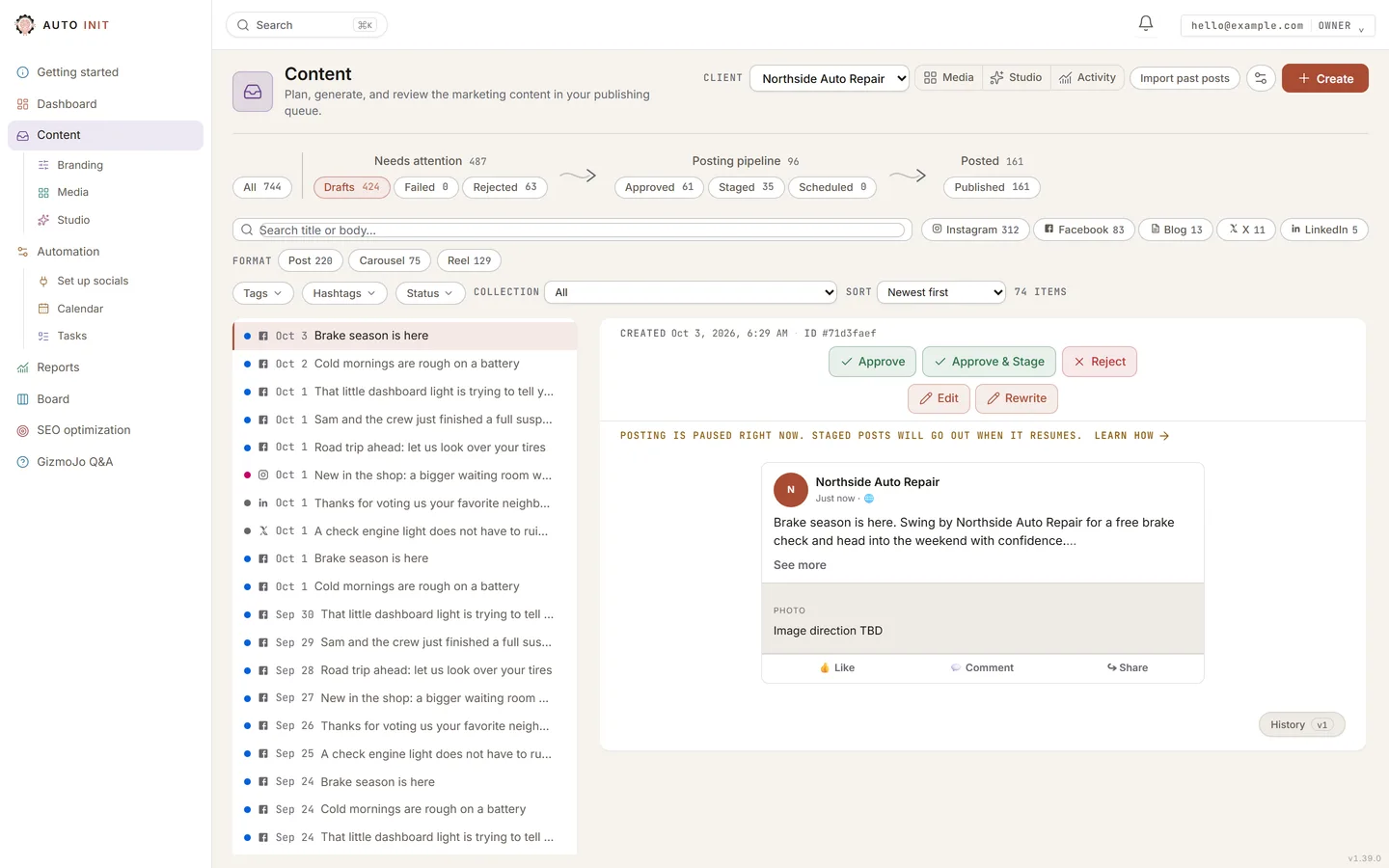
- Create: the button at the top right opens a sheet where you generate a post from a topic you type or a saved idea, run a task, or start a manual draft.
- Review: the page itself. Every post sits in one of three stages, Needs attention, Posting pipeline and Posted, joined by arrows that show the way a post travels. Approve, edit, or reject each draft; Stage is what queues an approved post for automatic publishing.Nothing publishes to a live profile without approval.
- All: the first chip on the strip shows every post you have ever had, your whole library. Search by title or body, then narrow by channel, tag, hashtag or collection with the filters above the list, and sort however you like. Imported posts from your Facebook and Instagram history sit in Drafts after your new drafts, wearing an Imported badge.
- Media, Studio and Activity: the three tiles under the header. Each takes over the center; press it again, or Review, to come back.